A WordPress analytics plugin you can trust
Understand your WordPress traffic at a glance, with local, clear, privacy-friendly analytics.
Focused traffic insights inside WordPress
Reliable KPIs
Follow visits, page views, pages per visit, traffic trends, and recent activity from the WordPress admin.
Richer visitor context
Add useful details when available, such as referrers, device categories, location, active time, and visitor-level activity.
Clear reporting
Review top pages and content, acquisition channels (AI assistants included), referring sites, devices, internal searches, 404 errors, geolocation, human and bot visitors, and real-time activity.
Controlled depth
Keep analytics focused with tracking and privacy settings for retention, role exclusions, DNT/GPC behavior, URLs, and advanced tracking.
Core metrics first, richer context when available
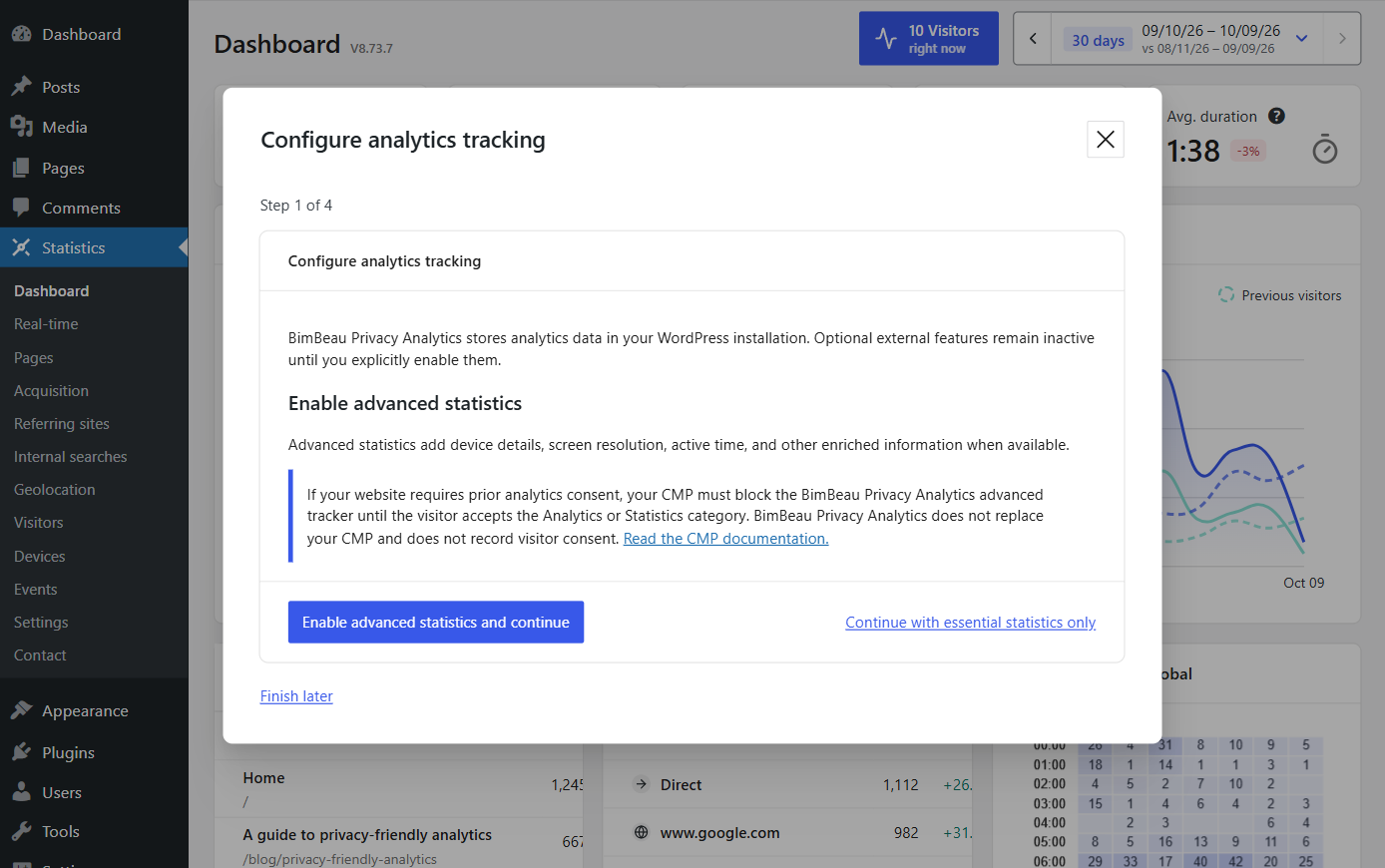
BimBeau Privacy Analytics is designed around the right level of detail for each visitor context: reliable aggregate metrics by default, then deeper insights where the available data allows it.
Baseline traffic measurement for visitors, visits, page views, top content, referrers, devices, searches, 404 errors, and activity trends.
Open dashboard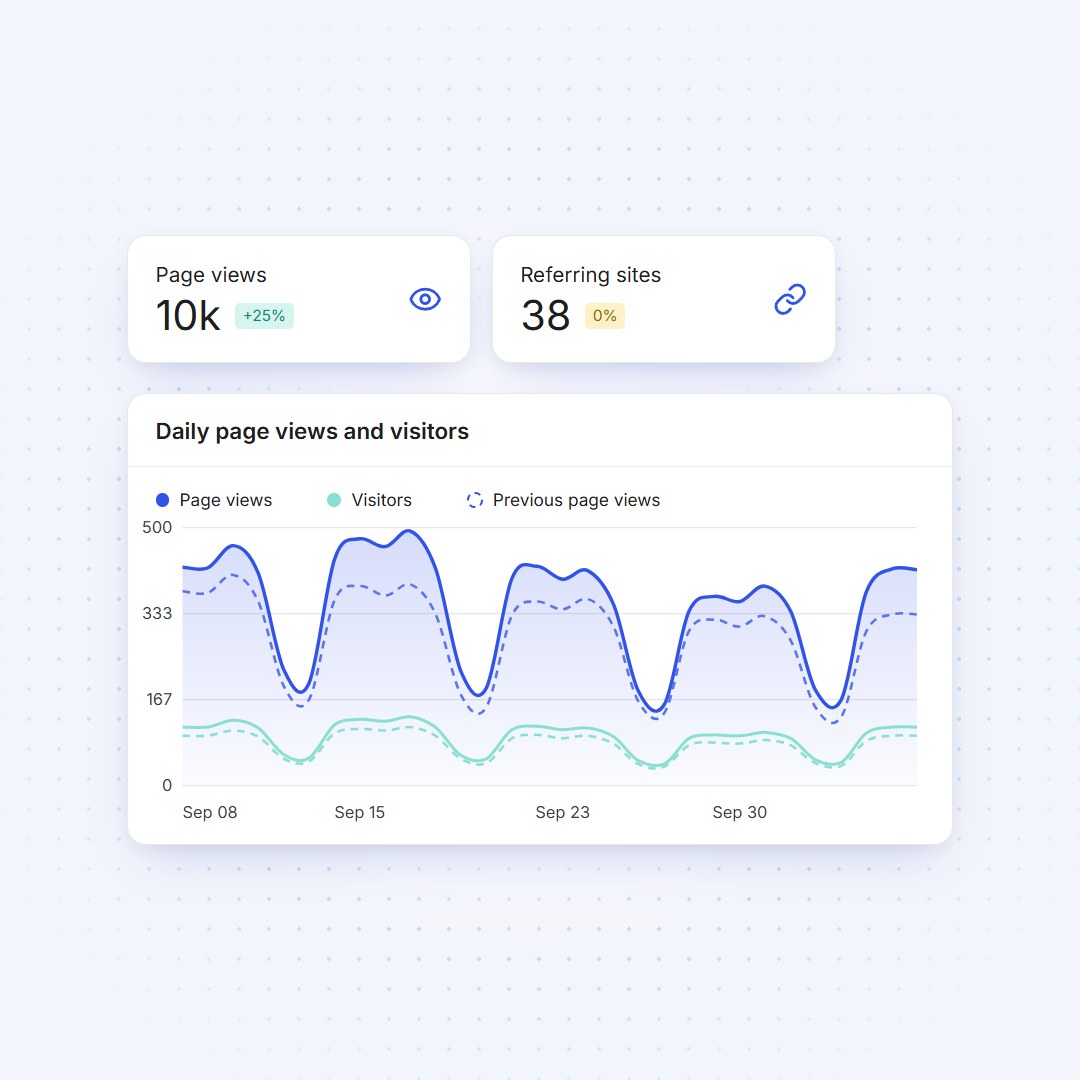 Core
CoreAfter consent, additional signals support active time, the visit journey, visitor details (humans and bots kept apart), device or browser dimensions, location and events.
Explore reports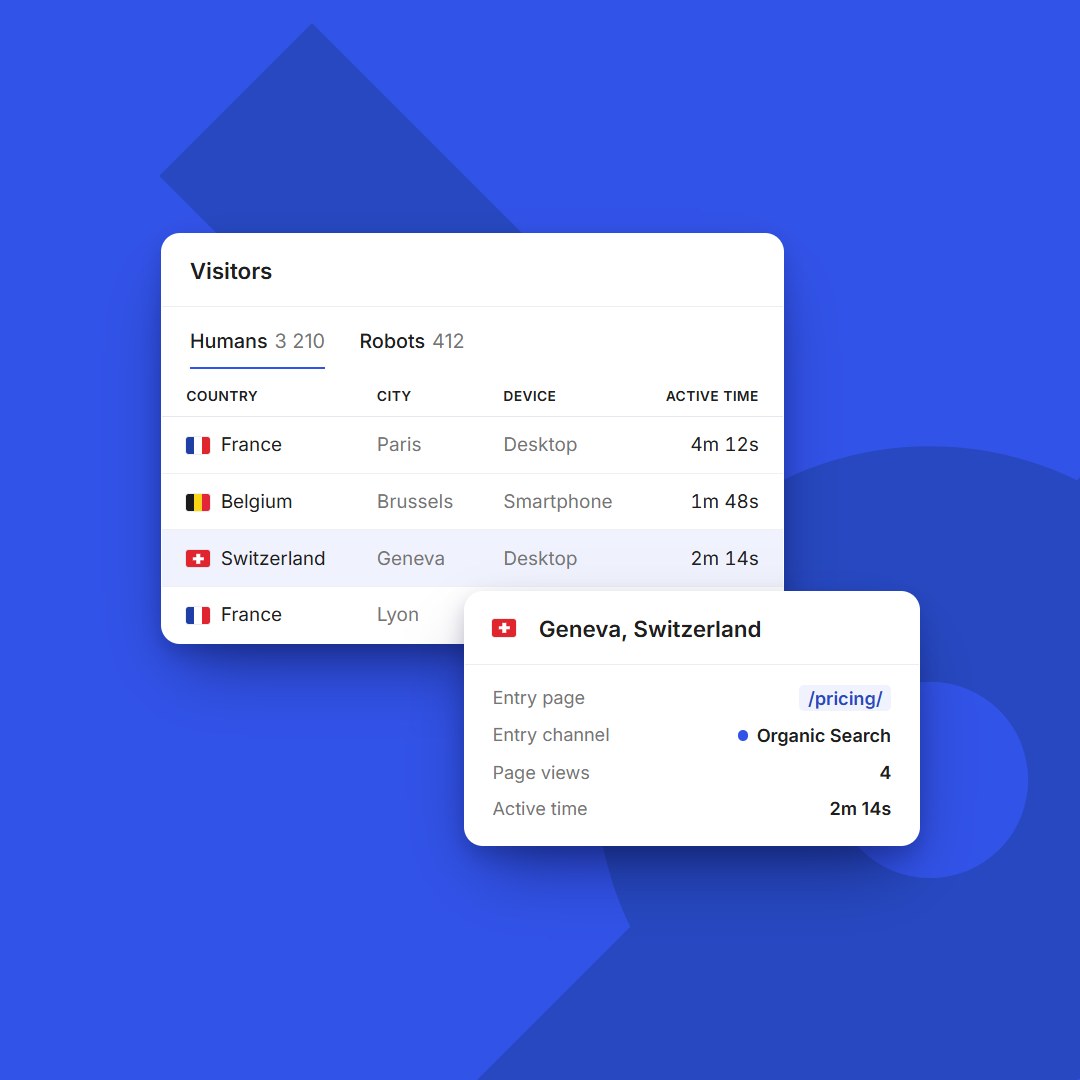 Context
BimBeau Privacy Analytics provides analytics controls and can fit your consent workflow, but it does not provide a consent banner or store consent records.
Read privacy notes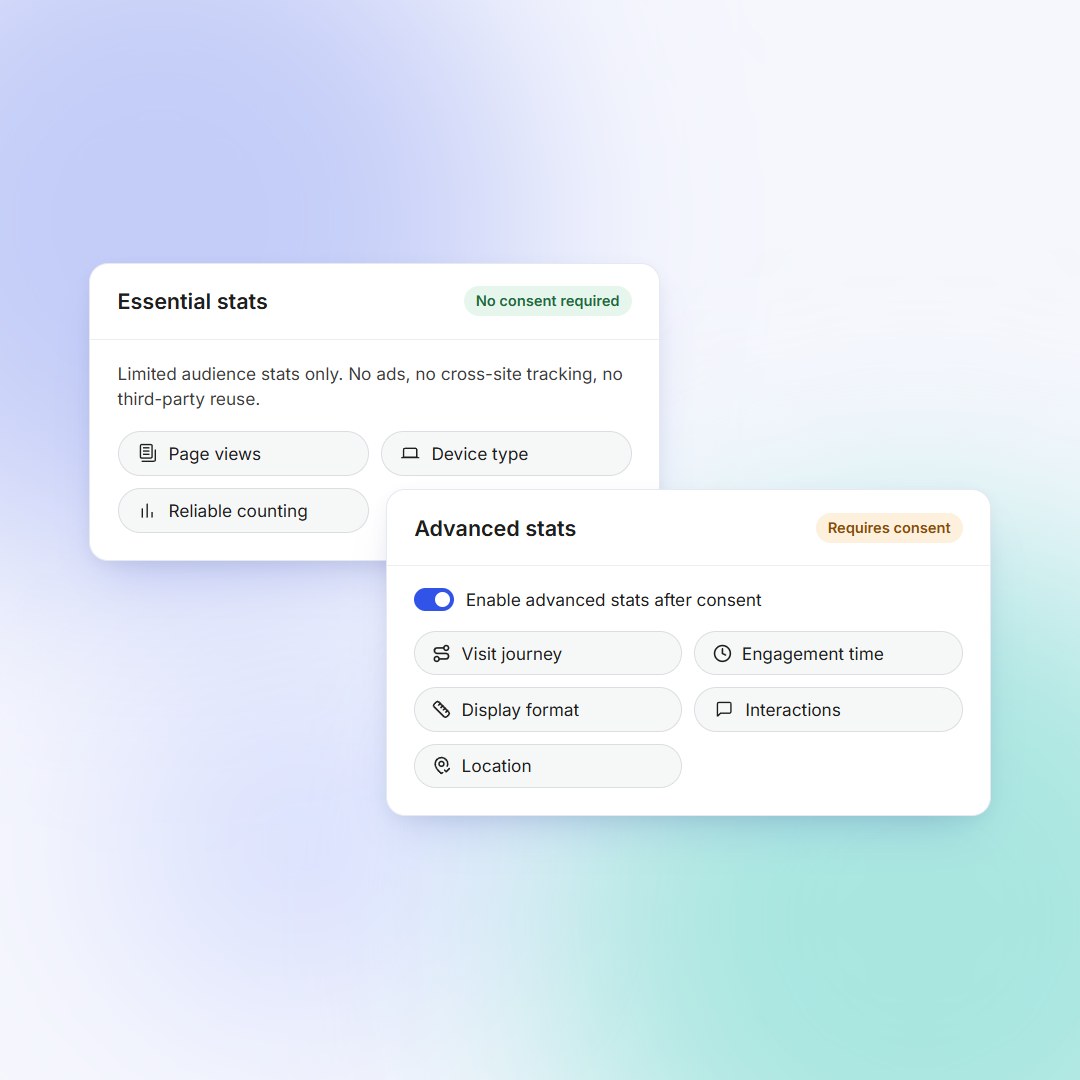 Privacy
Where your visitors come from, and what they do next
Reports built for decisions: acquisition channels, the content that matters, conversion funnels and summaries sent by email.
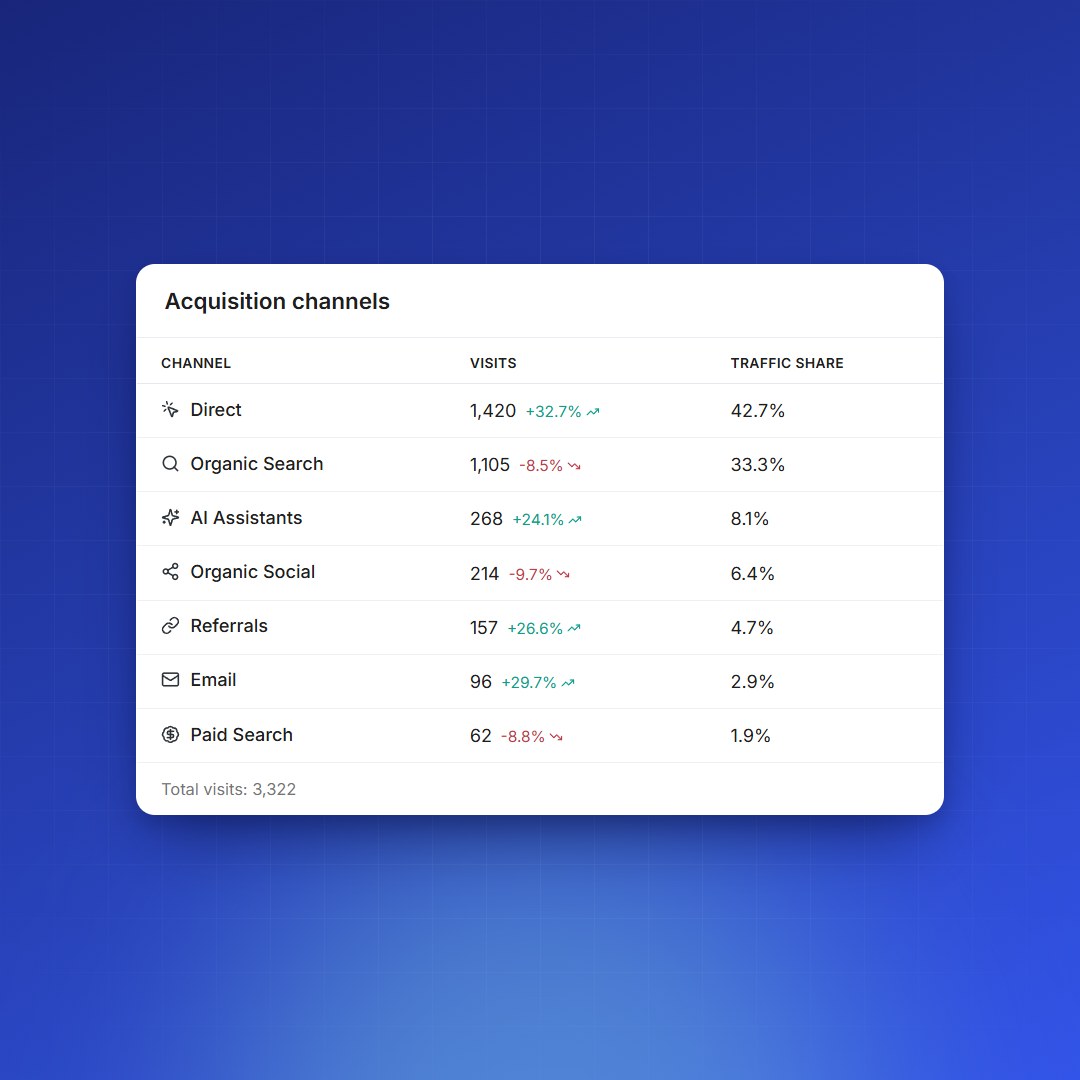
See where your visits really come from
Direct traffic, organic search, AI assistants such as ChatGPT or Perplexity, social networks, email and campaigns: every visit is filed under a channel, with its share of traffic and its trend.
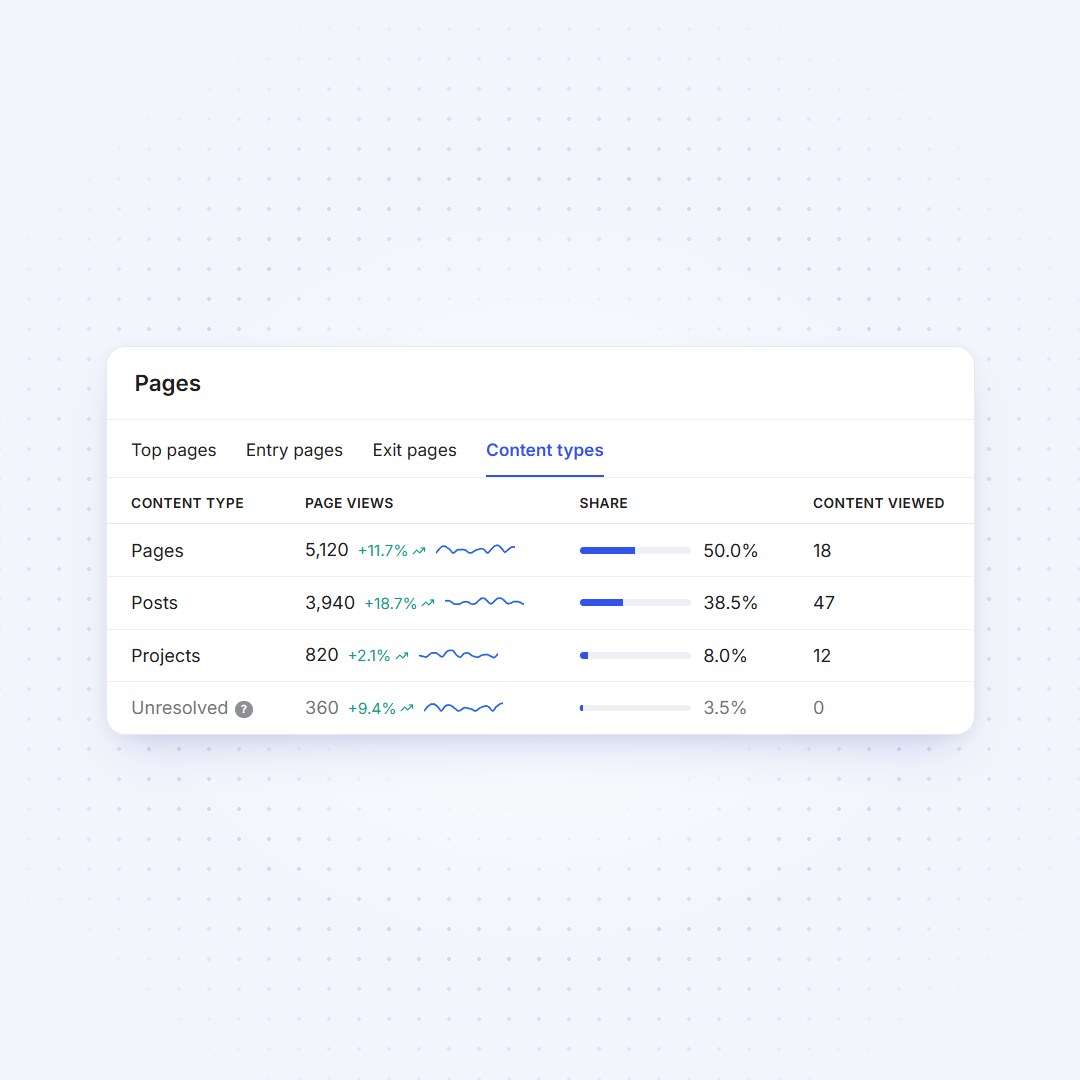
Find the content that matters
Top pages, entry and exit pages, plus content types, categories and authors, with the share of page views and the average time on page.
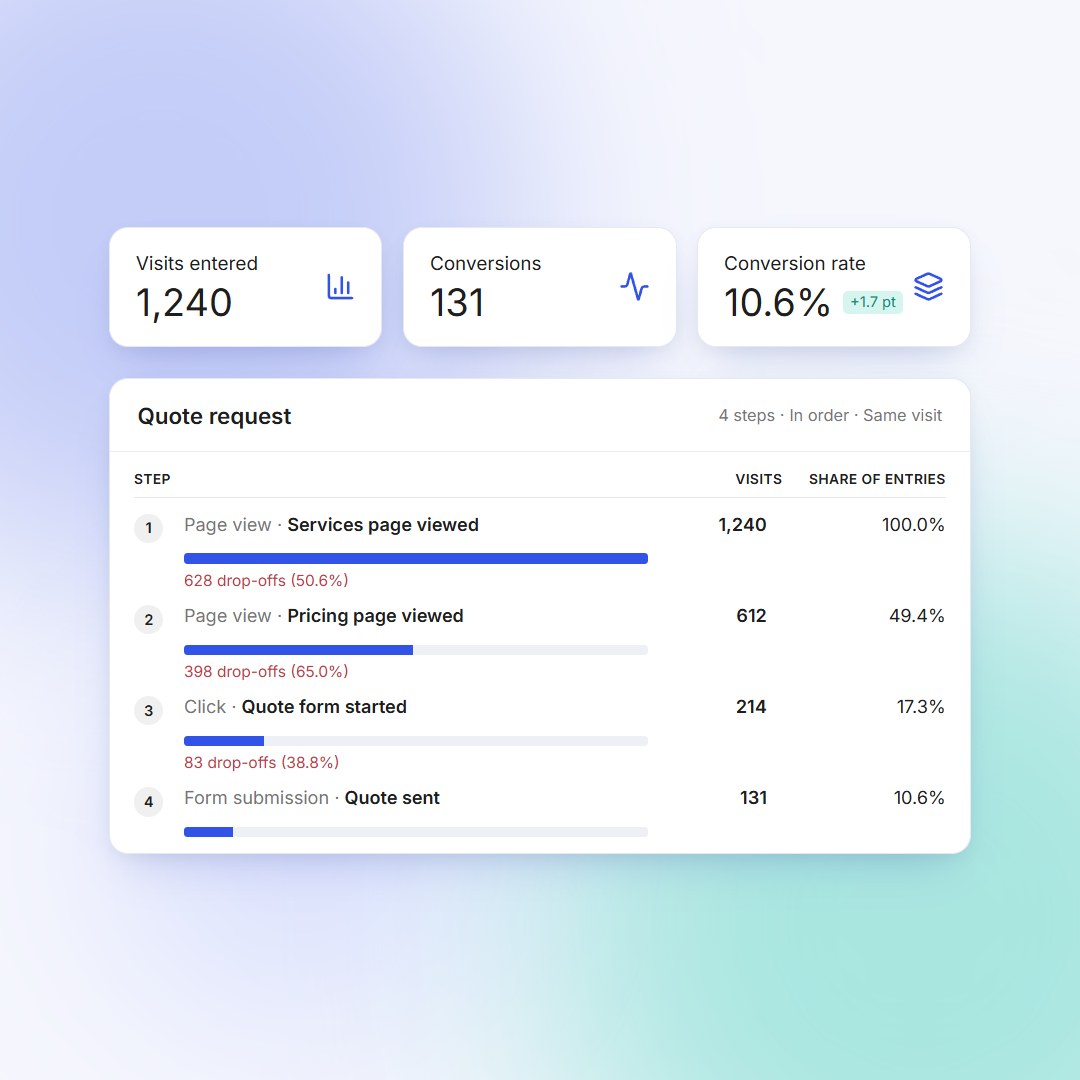
Measure every step up to the conversion
Chain up to eight steps (page views, clicks, form submissions) and see where visitors drop off, by channel and by device. With WooCommerce, a ready-made purchase funnel adds the revenue.
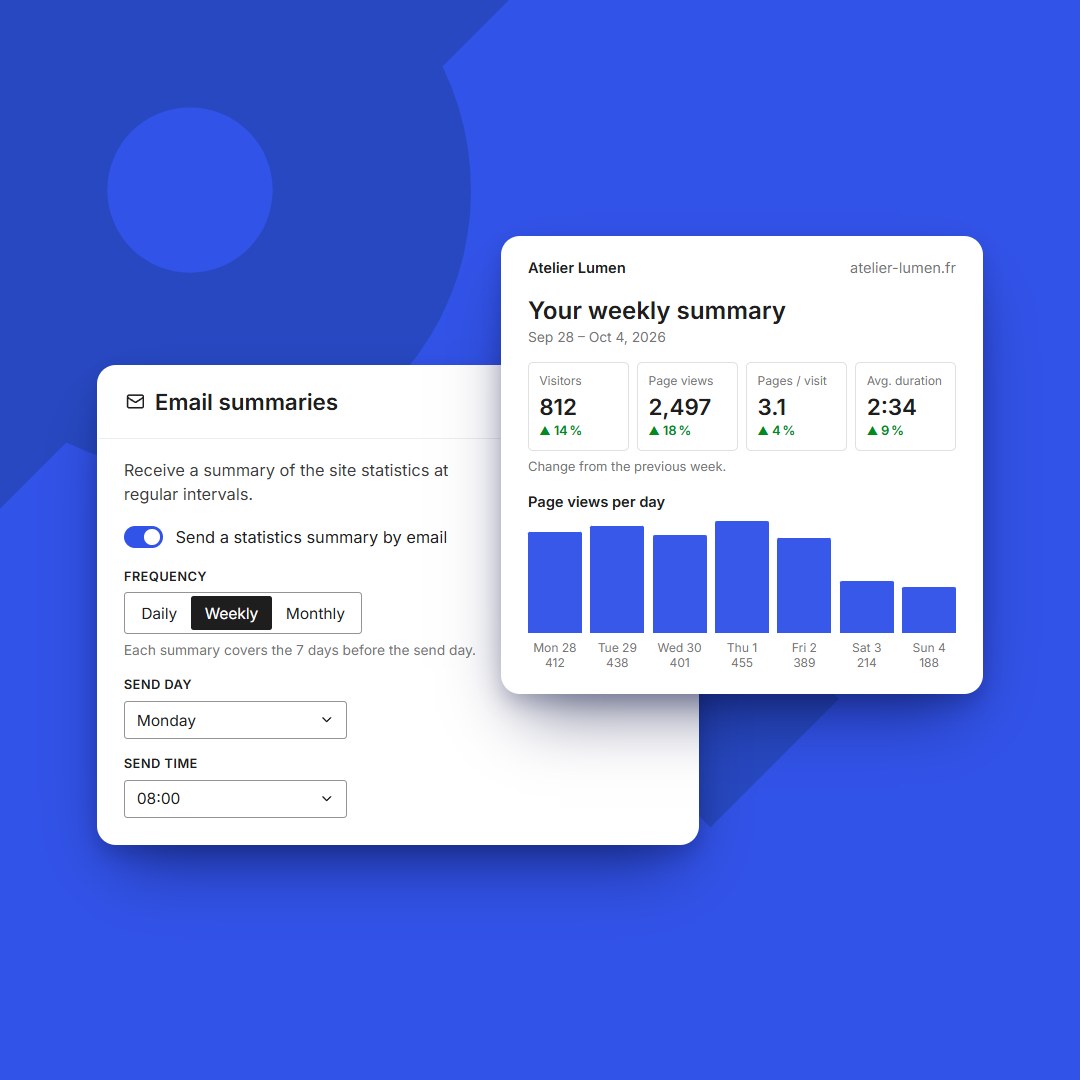
Get the essentials without opening WordPress
A daily, weekly or monthly summary with the key metrics, pages, referring sites and acquisition channels, sent to the recipients you choose.
From plugin install to traffic insights
Install
Get BimBeau Privacy Analytics from WordPress.org, add it to your site, and activate the plugin.
Read installation guideConfigure
Review tracking, privacy, retention, role exclusions, DNT/GPC behavior, URLs, and advanced tracking settings.
Review settingsMeasure
Open the dashboard to follow visits, page views, top content, traffic sources, devices, and recent activity.
Open dashboard docsExtend
Add Pro features: exports, events and conversion funnels, email summaries, WooCommerce tracking, Page Details, content analytics or the PWA Stats App.
Explore Pro features

Download BimBeau Privacy Analytics
Get simple, reliable WordPress analytics in minutes, with privacy-friendly tracking and reports that stay easy to read.