Contact support
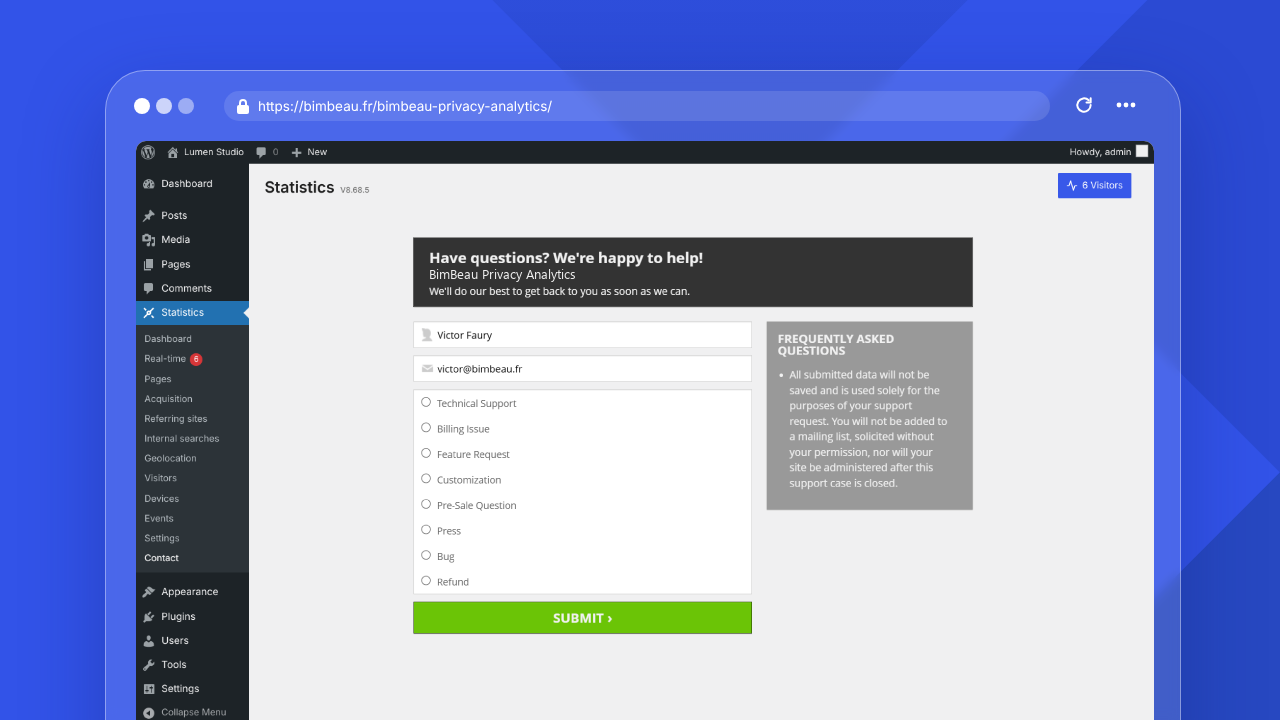
The Contact page lets eligible users contact BimBeau Privacy Analytics support or send account-related requests from the WordPress admin area.
Where to find Contact
In the WordPress admin area, open Statistics → Contact.
The Contact page is available in both Free and Pro installations when the plugin account interface exposes it for your site. Access can depend on your license state and the WordPress role permissions configured in General settings.
What the form is for
Use the Contact form to send a support or business request related to BimBeau Privacy Analytics.
Choose the category that best matches your request so it reaches the right workflow.
Contact categories
The Contact page can show categories such as:
| Category | Use it for |
|---|---|
| Technical support | Help with setup, configuration, reports, or unexpected behavior |
| Billing issue | Questions about payment, invoices, renewals, or subscription billing |
| Feature request | Suggestions for product improvements or new capabilities |
| Customization | Questions about adapting BimBeau Privacy Analytics to a specific workflow |
| Pre-sale question | Questions before purchasing or upgrading |
| Press | Media or press inquiries |
| Bug | Reproducible defects or incorrect behavior |
| Refund | Refund-related requests |
The exact category labels can vary depending on the account interface.
Information to include
For faster support, include:
- your WordPress version;
- your PHP version;
- your BimBeau Privacy Analytics version;
- whether you use Free or Pro;
- your active plan or license status, without exposing keys publicly;
- the report, setting, or feature involved;
- screenshots that hide private or sensitive data;
- the exact steps needed to reproduce the issue;
- what you expected to happen;
- what happened instead;
- relevant error messages.
Good support practices
- Send one clear issue per request when possible.
- Reproduce the issue before submitting if you can.
- Mention recent changes to caching, consent, security, or optimization plugins.
- Do not paste license keys, passwords, personal data, or private visitor data into public channels.
- Use private support channels for sensitive account or diagnostic details.